
Windows Job Scheduler
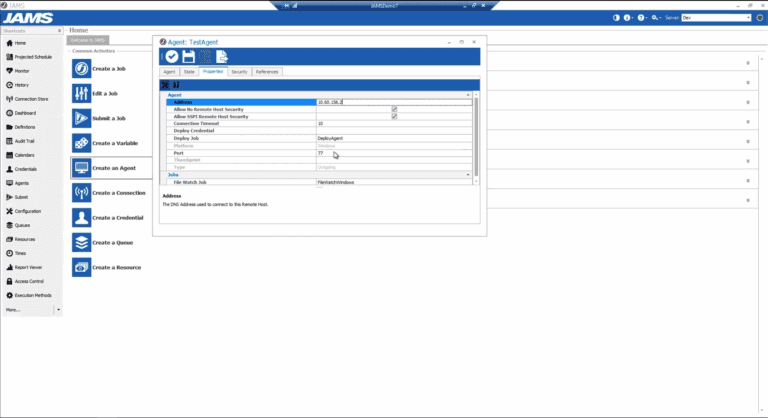
JAMS centralizes batch processing in a single, easy-to-use interface, where Windows jobs can be extended with additional properties, and linked together with non-Windows processes to create cross-platform workflows.
JAMS enables organizations that leverage Windows to:
Preserve workflows developed with Windows Task Scheduler
Resolve service issues quickly with reliable and actionable alerts
Enhance Windows batch processes with powerful business logic, such as custom calendars, exception handling, file dependencies and more
Regain Control with Windows Automation From JAMS
Not only can JAMS job scheduling software help you to streamline and gain central control over the triggers you’ve set up under Windows Task Scheduler, but it also allows you to expand the scope of your automation goals. Here are some of the functions you can perform with JAMS:
Schedule tasks across various platforms in your environment
Incorporate workflows from different applications into your enterprise schedule
Create an electronic audit history report
Perform PowerShell automation and .NET job scheduling
Securely transfer files to any remote system
Schedule jobs based on prerequisites and dependencies
Customize and utilize job history reports to plan for future job schedules
Bridge the Gap between Scheduled Tasks and the Business Users that Depend on Them
Converting Windows tasks to JAMS jobs puts automation into the hands of the people that need it most and reduces the burden on your IT personnel.
Let non-IT users schedule and monitor their own jobs
Capture the change history of every job definition
Get aggregate insights into the entire schedule of jobs so you can identify issues before they impact individual jobs
Choose a More Robust Windows Job Scheduler
Whether you’re running Windows XP or Windows 10, you might be using Windows Task Scheduler to automate tasks on your server. Using Windows job scheduling keeps costs down because it’s included with your hardware purchase. But if your goal is to build a more efficient enterprise from the ground up, is a native scheduler the way to achieve your automation goals?
Windows Task Scheduler only offers limited time-based scheduling options, which do not allow you to build and automate more complex tasks that could streamline your business processes. What’s more, each individual Windows machine will have a separate Windows Task Scheduler, so you will have no way to control or integrate the various automated tasks that are happening on each box. As your environment becomes more complex and expands to require enterprise-wide processes, managing Windows job scheduling becomes too labor intensive.
See What Users Are Saying About JAMS Job Scheduler
JAMS runs jobs and process the way you want —not the other way around. With event-based-scheduling capabilities, automation is kicked off from file transfers, system startups, and other user-defined events. JAMS maximizes resources by uniting IT environments and allowing systems and applications to be reactive with one another.

Convert Effortlessly
JAMS includes a built-in conversion utility to migrate Windows scheduled tasks, including all their properties. Import jobs residing on any Windows server throughout your network. Once converted – a process that takes minutes – you can apply dozens of new properties to schedule and trigger jobs according to the unique requirements of your business.
Convert Effortlessly
Break down the imposed barriers between Windows and other platforms, such as Linux, UNIX, i Series and z/OS. Transform isolated Windows processes into the building blocks of powerful cross-platform workflows for business intelligence, application deployment, ETL, and service management.
Learn how Shar Music used JAMS to bring together Windows and Unix processes

4.6 / 5

4.6 / 5

4.6 / 5
JAMS Job Scheduler is one of the most helpful programs that I use. There are so many programs that must be run at specific times, and in specific order and JAMS does it all!
— Mark G., DBA, Greenville County Schools