
Enterprise Workload Automation Software
Is your enterprise IT facing crippling bottlenecks due to manual processes and fragmented tools? JAMS is the workload automation solution that provides end-to-end orchestration to overcome these challenges. Gain centralized control over job scheduling and batch processing across Windows, Linux, and cloud environments, and intelligently automate diverse platforms, applications, and APIs. JAMS ensures flawless execution, empowers proactive IT, and provides a decisive competitive advantage.

Drive Operational Command With the JAMS Enterprise Workload Automation Platform
Your fragmented schedulers are costing you missed service-level objectives and slow triage. IT workload automation provides the unified control plane you critically need. It aligns monitoring, error budgets, and incident response, empowering you to build, run, and monitor all cross-platform workflows for superior enterprise outcomes.
Tackle your hybrid and multicloud sprawl, where complexity and costs escalate daily. Centralized scheduling and intelligent resource policies directly control spending, while cloud-native scale effortlessly handles events and dependencies. Achieve seamless compliance and streamlined post-incident reviews with consistent naming, versioning, RBAC, and immutable logs.
Design Automated Workflows
Designing an automated workflow in JAMS starts with a few key decisions about structure, dependencies, and error handling. This tutorial walks through the workflow design process so your automation is built to be reliable, visible, and maintainable from day one.
Plan and structure a multi-step automated workflow
Configure job dependencies and execution order
Set up error handling and conditional branching
Review your workflow in the visual job diagram

Deploy JAMS Workload Automation
Here is a practical sequence for implementing JAMS as your workload automation solution.
Initial Setup
Create or Move a Job Into JAMS
Test and Promote
Manage Promotion Jobs
Maintain Consistency Throughout the Process
Why Leading Organizations Choose JAMS
You want a partner who helps you standardize orchestration, reduce noise in production, and maintain SLAs. Here is how JAMS workload automation tools support that goal:
Trusted by Enterprises: Leading companies, such as Coca-Cola Canada and Teradata, rely on JAMS for end-to-end workload automation. Public reviews on G2, PeerSpot, and TrustRadius reflect real-world outcomes and day-two operations.
Real humans on three continents. Support lives in the United States, the United Kingdom, and Australia. We will never outsource this team.
Enablement That Accelerates Adoption: JAMS University teaches you how to orchestrate workload automation across multiple platforms and applications. Help Videos make it easier to teach your standards, reinforce naming and calendar conventions, and onboard new operators.
Straightforward, Scalable Pricing: Simple pricing and unlimited executions help you expand automation without reworking contracts or constraining workloads.

Centralize Orchestration
Consolidate Windows, Linux, and cloud workloads under a single scheduler and user interface. Standardize names, parameters, and calendars so jobs behave consistently across environments. Scale with unlimited executions and deploy on AWS or Azure without changing how you operate.
JAMS Variables and Parameters
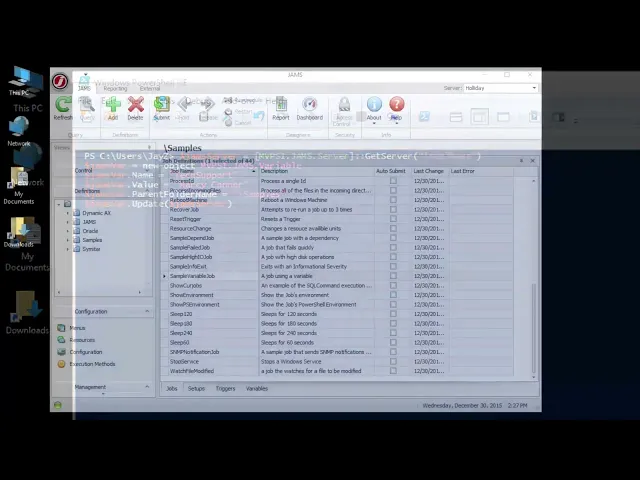
Variables and parameters are what turn static JAMS jobs into dynamic, reusable automation. This tutorial covers how to define, pass, and reference them so you can build jobs that adapt at runtime without manual edits.
Unlock Job Adaptability
Customize batch jobs dynamically with powerful parameters.
Leverage variables for intelligent, conditional processing.
Maximize job reusability and minimize setup time.
Streamline Your Workflows
Automate complex sequences by passing precise inputs to jobs.
Reduce manual intervention and human error in your operations.
Ensure consistent and reliable execution of every batch task.
Gain Operational Insight
Understand how JAMS utilizes variables for responsive task management.
Track and manage job configurations with ease.
Achieve greater control and transparency over your batch environment.