
Features
Explore the many features that make JAMS a comprehensive workload automation solution for the enterprise.
MCP Server
Ask questions, inspect jobs, and submit runs using plain language directly from your preferred AI assistant by connecting JAMS with Cursor, Claude Code, GitHub Copilot, and more.
MCP Server
Ask questions, inspect jobs, and submit runs using plain language directly from your preferred AI assistant by connecting JAMS with Cursor, Claude Code, GitHub Copilot, and more.
JAX
Ask JAMS anything, right where you work. JAX is the AI agent built into the JAMS Web Client. It finds jobs, troubleshoots failures, and looks up how-to guidance — grounded in real JAMS documentation, on a model you choose. It acts only when asked, and waits for your approval before any change.
Architecture
The JAMS architecture gives operators everything they need to keep their jobs and automation running smoothly, consisting of three main elements—the client, the engine, and the agent.
Architecture
The JAMS architecture gives operators everything they need to keep their jobs and automation running smoothly, consisting of three main elements—the client, the engine, and the agent.
Code-Driven Automation
JAMS goes beyond the GUI so that your other solutions and applications conform to your rules, not theirs, with code-driven automation.
Code-Driven Automation
JAMS goes beyond the GUI so that your other solutions and applications conform to your rules, not theirs, with code-driven automation.
Low-Code Automation
Further streamline rule-based, repetitive, tasks by bringing user-friendly automation to the people who know their processes best. Maintain visibility and control over that automation in JAMS.
Low-Code Automation
Further streamline rule-based, repetitive, tasks by bringing user-friendly automation to the people who know their processes best. Maintain visibility and control over that automation in JAMS.
Monitor
The JAMS monitor is the command center where you can see your centralized workload automation environment – including currently running and recently completed jobs, organized by user preference.
Monitor
The JAMS monitor is the command center where you can see your centralized workload automation environment – including currently running and recently completed jobs, organized by user preference.
Event-Based Scheduling
JAMS provides for event-based job scheduling to allow jobs and processes to be triggered by events such as file transfers, system startups, runaway processes, or user-defined events.
Event-Based Scheduling
JAMS provides for event-based job scheduling to allow jobs and processes to be triggered by events such as file transfers, system startups, runaway processes, or user-defined events.
File Transfer Capabilities
JAMS brings enterprise workflow control to each and every file transfer through a built-in FTP execution method that ensures that critical file transfers are centrally defined, monitored, audited, and logged.
File Transfer Capabilities
JAMS brings enterprise workflow control to each and every file transfer through a built-in FTP execution method that ensures that critical file transfers are centrally defined, monitored, audited, and logged.
Dashboards
Maximize job visibility with vivid automation dashboards that give you a complete picture of your jobs for the assurance that your schedule will run smoothly—and the ability to troubleshoot fast.
Dashboards
Maximize job visibility with vivid automation dashboards that give you a complete picture of your jobs for the assurance that your schedule will run smoothly—and the ability to troubleshoot fast.
Reporting
Easily create detailed workload reports on any aspect of your automated workloads and batch processes to deliver informative, easy-to-read content that turns jobs into clear concise snapshots.
Reporting
Easily create detailed workload reports on any aspect of your automated workloads and batch processes to deliver informative, easy-to-read content that turns jobs into clear concise snapshots.
Alerting
Stay ahead of issues before they become problems with comprehensive alerts that include email, voice, SMS, and SCOM communications.
Alerting
Stay ahead of issues before they become problems with comprehensive alerts that include email, voice, SMS, and SCOM communications.
Security
Apply uncompromising security to your enterprise’s entire spectrum of batch processes through a unique architecture that preserves security protocols set by individual platforms and applications.
Security
Apply uncompromising security to your enterprise’s entire spectrum of batch processes through a unique architecture that preserves security protocols set by individual platforms and applications.
High Availability
JAMS provides high availability job scheduling that supports failover and clustering for reliable batch processing.
High Availability
JAMS provides high availability job scheduling that supports failover and clustering for reliable batch processing.
Legacy Modernization
JAMS brings mainframe-like scheduling capabilities to the distributed world but leaves behind the costs and complexities of mainframe software.
Legacy Modernization
JAMS brings mainframe-like scheduling capabilities to the distributed world but leaves behind the costs and complexities of mainframe software.
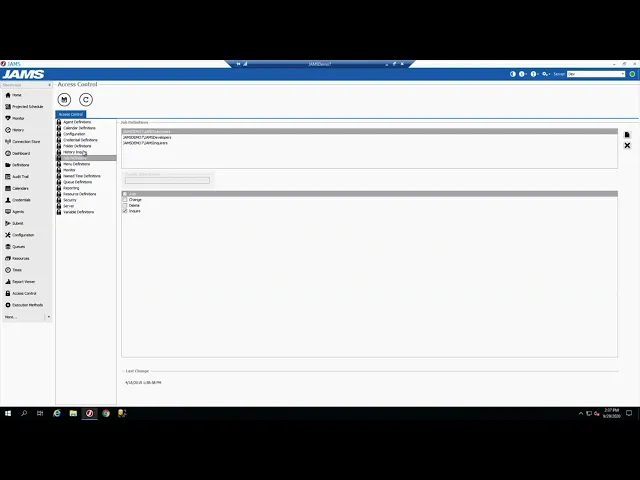
Security Features
A quick overview of the key security features built into JAMS — from role-based access control to credential management and audit logging. If you’re evaluating JAMS for a security-conscious environment, this is a great starting point.
Role-based access control and permission levels
Secure credential storage for service accounts
Audit trail and job history logging
Integration with Active Directory for user authentication
FAQs
What are the most important features included in JAMS?
Can JAMS trigger jobs based on events instead of schedules?
Does JAMS provide audit trails and compliance support?
FAQs
What are the most important features included in JAMS?
Can JAMS trigger jobs based on events instead of schedules?
Does JAMS provide audit trails and compliance support?
FAQs
What are the most important features included in JAMS?
Can JAMS trigger jobs based on events instead of schedules?
Does JAMS provide audit trails and compliance support?







See the Comprehensive Features of JAMS in Action
Get a live demo to see how JAMS helps organizations centrally schedule, monitor, and secure enterprise jobs and workloads.
See the Comprehensive Features of JAMS in Action
Get a live demo to see how JAMS helps organizations centrally schedule, monitor, and secure enterprise jobs and workloads.
See the Comprehensive Features of JAMS in Action
Get a live demo to see how JAMS helps organizations centrally schedule, monitor, and secure enterprise jobs and workloads.

